
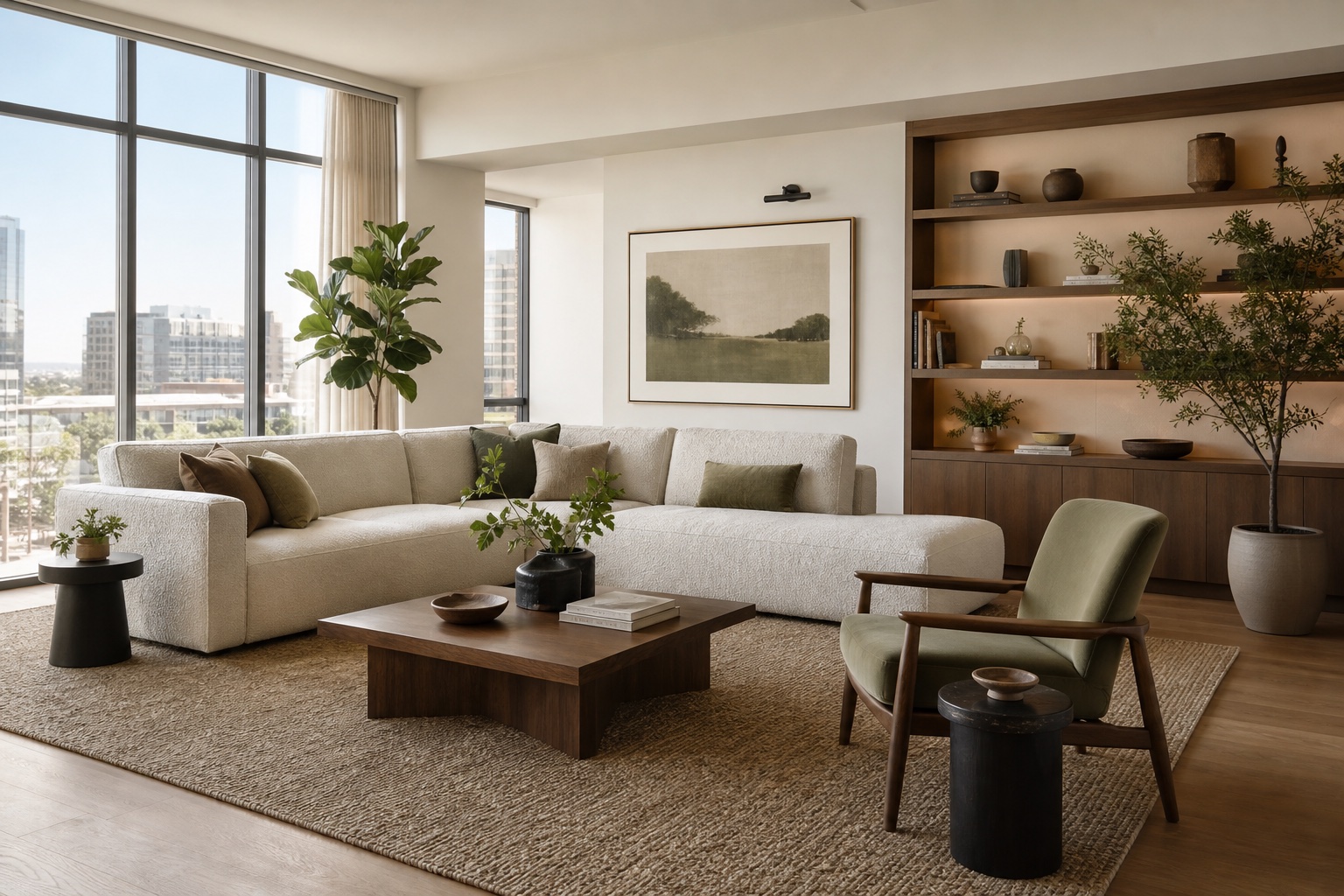
Living room layout refresh
Test seating flow, storage walls, rug scale, and a warmer palette before you buy new furniture.
Upload your space, choose a style direction, and generate polished AI room design concepts while keeping the original angle and structure.
Workspace
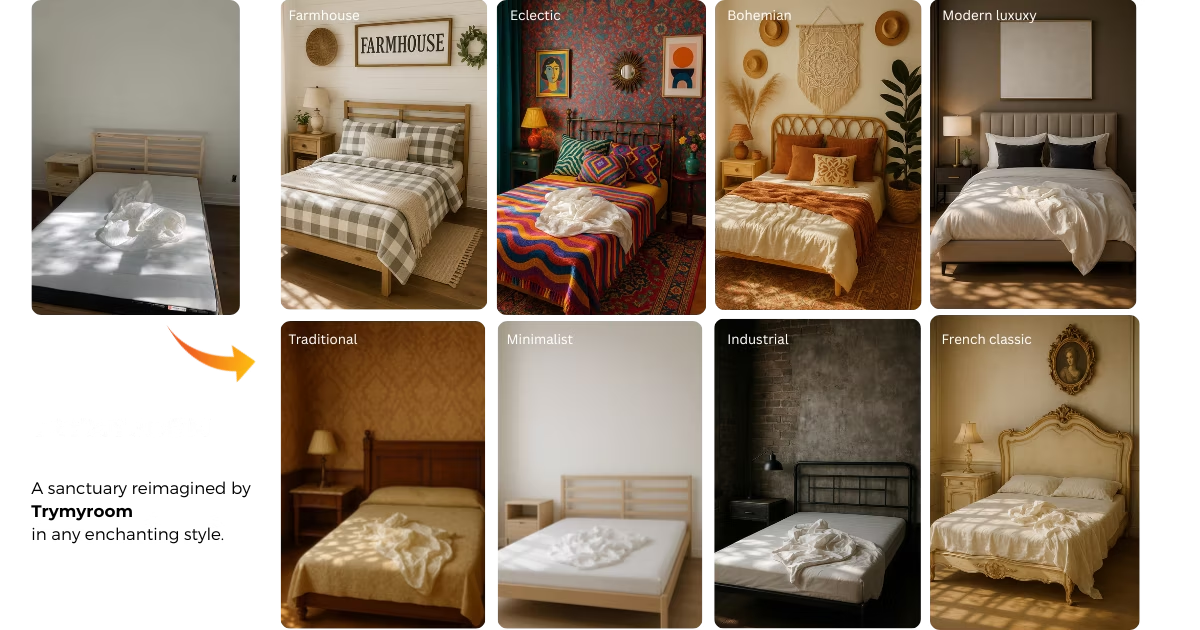
Your selected styles and generated makeovers will appear here with a clean preview area for desktop and mobile.
AI interior design for real rooms
TryMyRoom is built for homeowners, renters, real estate teams, and designers who need fast visual options before committing to furniture, finishes, or renovation work. Upload your current room, choose a style, and use AI interior design to compare realistic makeovers from the same camera angle.
The goal is not to make a generic inspiration board. A useful AI room design should respect the room you already have: window placement, walls, traffic flow, storage needs, lighting, and the visual weight of furniture.
These original TryMyRoom visuals show the kind of design decisions you can evaluate: layout, palette, lighting, storage, and material direction across different room types.
Test seating flow, storage walls, rug scale, and a warmer palette before you buy new furniture.
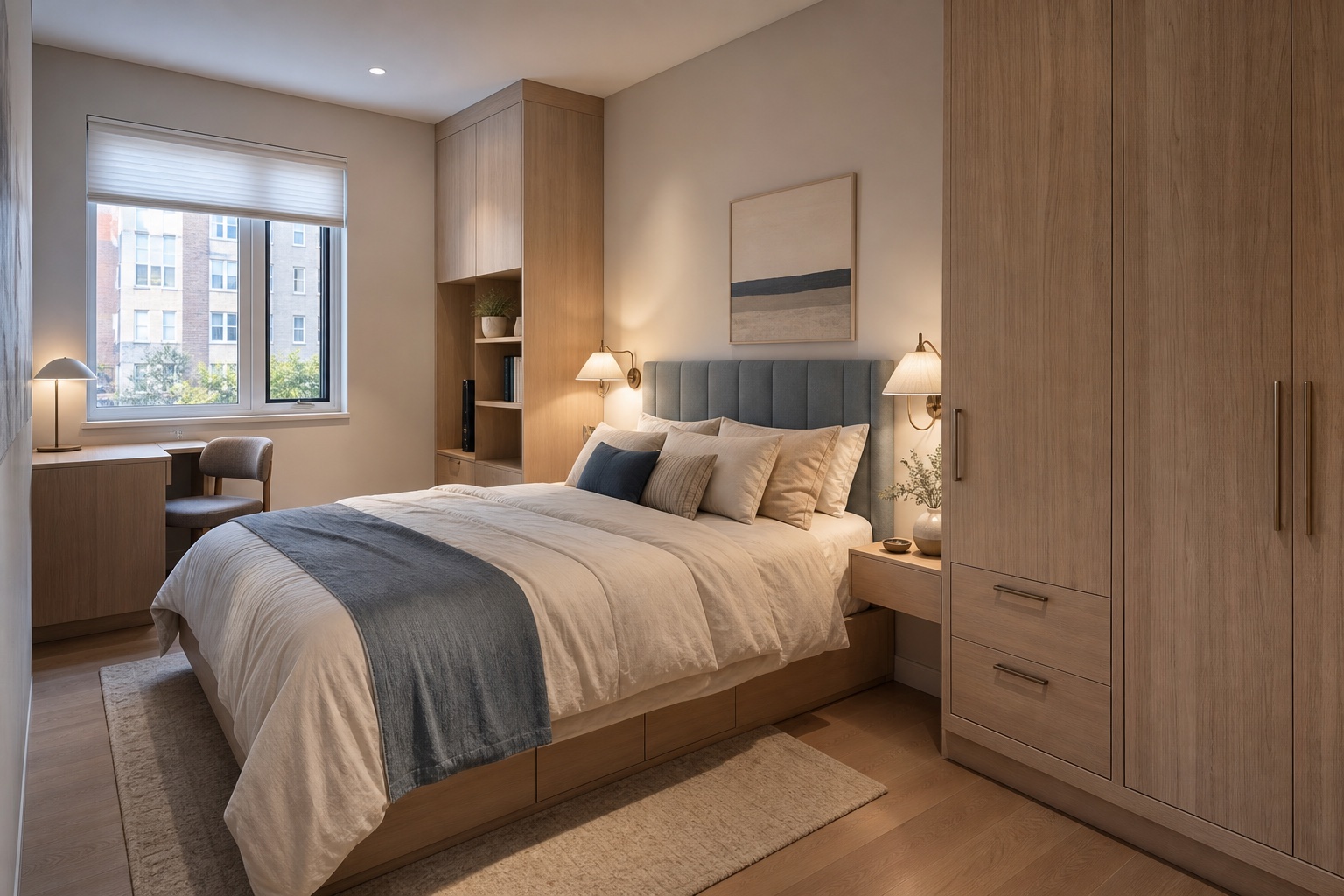
Explore built-in storage, lighting balance, and a realistic furniture footprint for compact rooms.
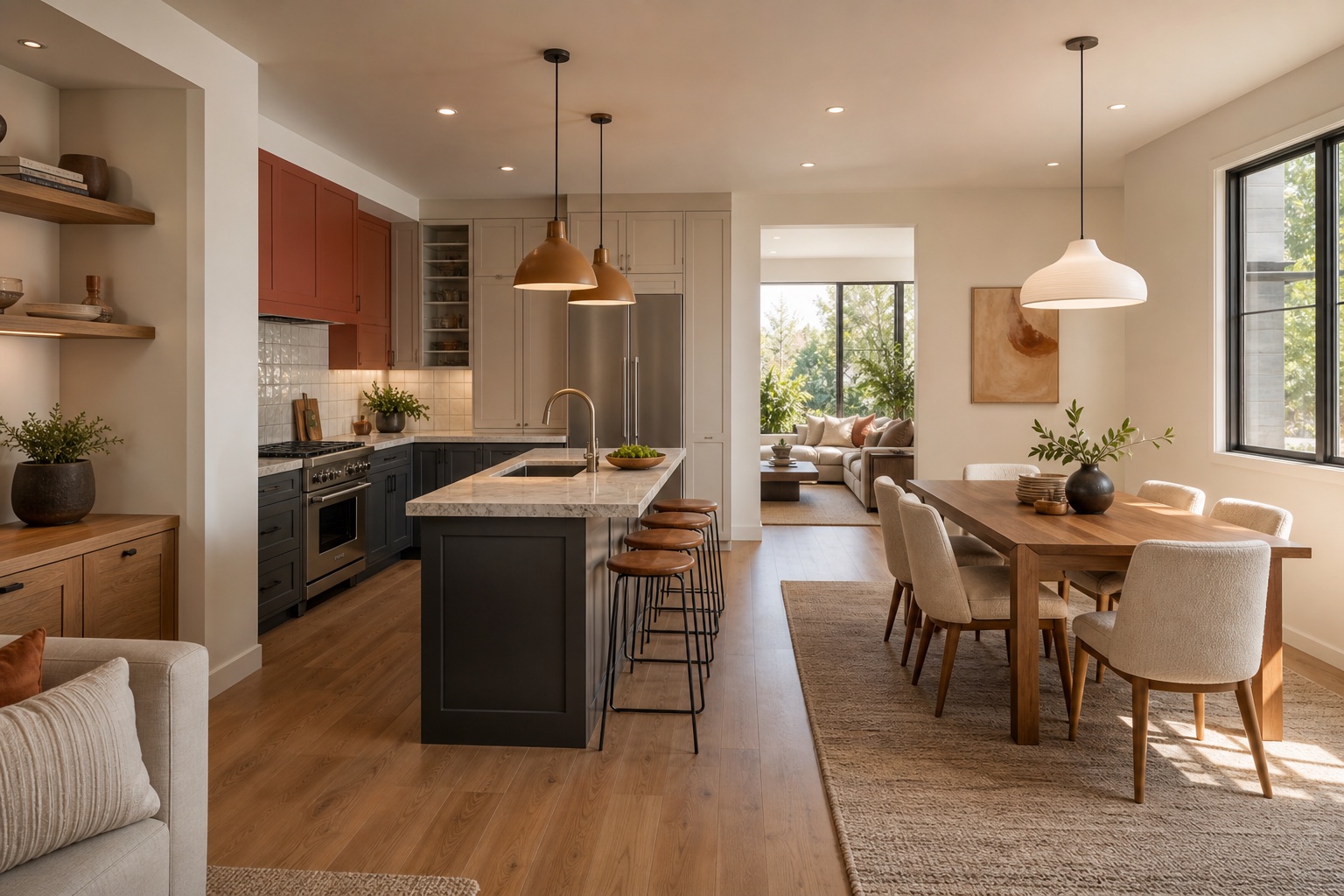
Compare connected-space materials, cabinet colors, island proportions, and dining placement in one visual direction.
Strong results come from a good source photo and a clear review process. Use AI interior design to narrow options, then verify the practical details that matter in the physical room.
Use a clear photo from the main viewing angle. The AI interior design generator uses the existing walls, windows, and lighting as the base for each concept.
Select interior styles such as modern, Japandi, Scandinavian, farmhouse, or upload a reference image when you need a more specific design language.
Compare up to four room makeover directions at once, then inspect color, furniture scale, storage, and circulation before deciding what to keep.
Use the render as a planning visual. Check dimensions, product specs, wiring, plumbing, and local building requirements before making physical changes.
Room-by-room use cases
Use the generator early in a project when choices are still flexible. It is especially useful for comparing visual direction before buying furniture, booking trades, or preparing a listing.
Try new seating layouts, media walls, rug sizes, accent chairs, shelves, plants, and color palettes without moving heavy furniture first.
Preview calmer lighting, headboards, bedside storage, wardrobes, textiles, and small-space desk ideas from one uploaded photo.
Explore cabinet colors, backsplash ideas, island finishes, dining furniture, pendant lighting, and open-plan material coordination.
Focus on reversible decor, furniture placement, rugs, lighting, curtains, and art so you can improve the room without renovation work.
The workflow starts with your uploaded room image, so recommendations are anchored to the actual space instead of a generic mood board.
Each result should be judged against layout, lighting, storage, circulation, and material fit, not only surface style.
AI interior design is best for visual planning and ideation. Measurements, structural changes, code compliance, and contractor work still need professional review.
Upload your current room, choose a style, and generate a practical visual direction for your next makeover.
Questions
A quick check before you generate your first AI room design concept.
AI interior design uses image generation to turn a room photo into new design concepts. With TryMyRoom, you upload a real space, choose a style or reference image, and generate photorealistic room makeover ideas for layout, color, furniture, and decor.